

On this page
BLIX publishes this comparison of its own product. It is independent of Nio.trade; no affiliation or endorsement is implied.
What Nio's public site documents
Nio's homepage advertises multiple chains, wallet and social tracking, limit orders, sniping and interface customization. Those are vendor descriptions, not features independently exercised in this comparison. Its linked documentation could not be retrieved during this review; exact account requirements and developer-interface availability remain unverified.
Choose the requirements that matter
| Requirement | Nio evaluation | BLIX evaluation |
|---|---|---|
| Chain coverage | Verify your required chain and protocol in the current application. | Solana-focused research; do not assume equivalent coverage for other chains. |
| Screen layout | Test the documented customization against your actual workstation. | Try Pulse, discovery and token detail at the screen size you use. |
| Wallet research | Check history coverage and how wallet activity is presented. | Compare the same wallet, timestamps and PnL definitions. |
| Order controls | Verify documented limit and sniping functions in the current product. | Confirm the controls available in your deployment; a paper desk is a simulation, not evidence of live order parity. |
| AI and developer access | Public API, MCP, SDK and CLI availability was not established in this review. | Read the local API reference and MCP setup; inspect the actual available tools. |
Where BLIX may fit
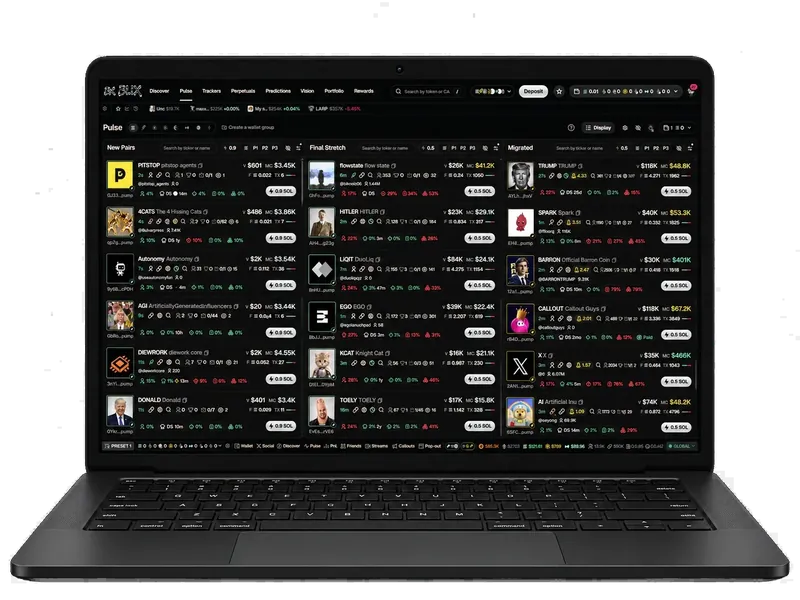
Evaluate BLIX if most of your research concerns Solana token launches, holder behavior and questions you want an AI client to investigate using structured data. Create an account to explore the terminal and its available research tools.
If your primary requirement is trading across several chains from one account experience, verify that requirement directly before switching. A focused Solana workflow does not replace coverage that has not been implemented.
A practical side-by-side trial
- List the chains, protocols and order controls you require; mark each as demonstrated, undocumented or unavailable.
- Select identical Solana mint addresses and a public wallet for the research comparison.
- Record whether the displayed data is current, how partial history is signaled and whether explanations can be traced to inputs.
- Check the research interface at both mobile and desktop widths if you use both.
- For an agent integration, test a read-only question first. Verify authentication, tool permissions, error responses and missing-data behavior.
What this page does not establish
No current fee ranking, execution-speed ranking, profitability claim or account-security equivalence is established here. No Nio SDK, bot, MCP server or CLI is presented as official without a vendor source. For setup, downloads and support, follow links from Nio's own site.
BLIX does not import a Nio account or inherit its permissions. Treat a move as a fresh setup: compare features first, preserve your existing records and verify the destination account before taking any financial action.
Sources and review
- Nio official homepage and documentation link
- Nio documentation — linked by Nio; retrieval unavailable during review
- BLIX trading terminal
Discuss these guides in the BLIX Discord. Links on this page contain no referral codes.
Frequently asked questions
Does this comparison verify a Nio.trade API or MCP server?
No. The public homepage was reviewed, but the linked documentation could not be retrieved. Developer-interface availability remains unverified.
Does BLIX offer the same chain coverage as Nio?
This comparison makes no such claim. BLIX's documented research workflow focuses on Solana; verify every required chain and protocol before changing platforms.
Is this a Nio.trade tutorial or official support page?
No. For the current Nio product, begin at nio.trade. This page helps evaluate BLIX as a separate product.