

On this page
Developer examples below run against your BLIX account: sign in, open Developers and copy your session into BLIX_SESSION; every request sends it as the blix_wait cookie.
SSE transport and snapshot endpoints
GET /api/stream sends named events including launch, signal and mig. This is the Blix data service, not an official pump.fun API. Its HTTP event stream is distinct from the upstream WebSocket feeds the service may consume.
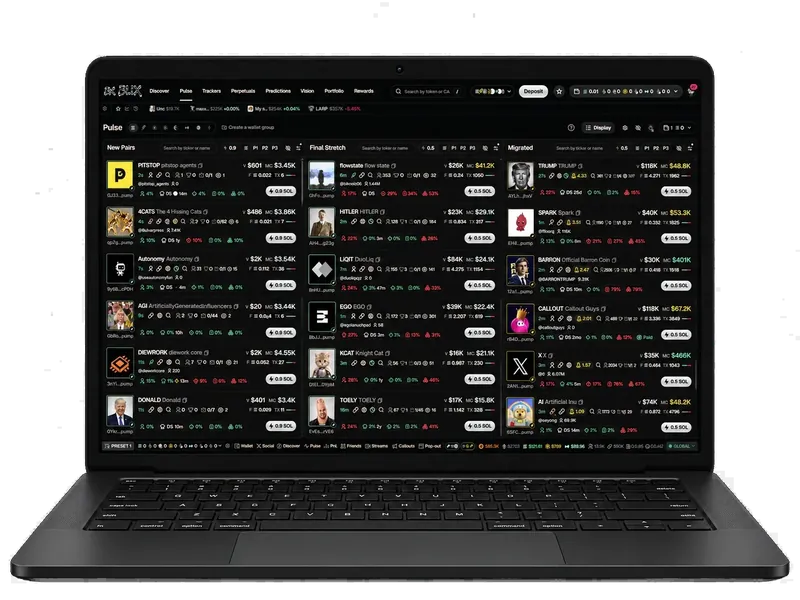
Start with GET /api/pulse to read the current board. Subscribe for new events, then refresh snapshots after reconnects. The stream does not advertise a durable event cursor or replay contract, so it should not be treated as a complete accounting ledger.
JavaScript: consume launch and signal events
// Run in the console of your local Blix page (same origin).
const events = new EventSource("/api/stream");
for (const type of ["launch", "signal"]) {
  events.addEventListener(type, (event) => {
    try {
      const data = JSON.parse(event.data);
      console.log(type, data);
    } catch (error) {
      console.error("Could not parse stream event", error);
    }
  });
}
events.onopen = async () => {
  const response = await fetch("/api/pulse");
  if (response.ok) console.log("current snapshot", await response.json());
};
events.onerror = () => console.warn("Stream interrupted; browser will reconnect.");
// When your consumer is no longer needed: events.close();
Python: inspect the wire format
import os, requests  # pip install requests

with requests.get("https://blixvip.com/api/stream", cookies={"blix_wait": os.environ["BLIX_SESSION"]},
                  stream=True, timeout=(5, 90)) as response:
    response.raise_for_status()
    response.encoding = "utf-8"
    for line in response.iter_lines(decode_unicode=True):
        if line:
            print(line, flush=True)
This Python example prints SSE frames so you can inspect the actual events. A production consumer needs frame parsing, reconnect backoff, cancellation and a snapshot refresh after gaps. Do not assume that one line equals a complete event in every SSE implementation.
Handle interruptions explicitly
Check response status before parsing. A proxy, authentication page or unavailable upstream can return something other than event data. Bound in-memory queues, record reconnects, and check /api/health when a quiet stream conflicts with expected activity.
For hosted use, consult the deployment's authentication and access rules. Do not copy account cookies or credentials into published examples. Read the endpoint reference for request semantics and the MCP guide if your consumer is an AI client.
About this guide
Reviewed by BLIX on October 10, 2026 against the product implementation. Availability depends on your account and connected providers. Explore the BLIX guides for related workflows.
Frequently asked questions
Is this a pump.fun WebSocket API?
Blix exposes SSE over HTTP at /api/stream. Upstream transport and the interface your client consumes are different.
Will reconnecting replay every missed trade?
No durable replay guarantee is documented for this stream. Refresh snapshots and record coverage gaps.
Are these Python and JavaScript SDKs?
No. These are examples using HTTP and standard clients. They do not establish a separately published Blix SDK package.