

On this page
The documentation now calls it Jupiter Plugin
The former Jupiter Terminal documentation URL redirected to the Jupiter Plugin integration guide during this review. The guide describes an embeddable swap interface with integrated, widget and modal display options and wallet-integration settings. Follow the current documentation when maintaining an older integration.
Two different jobs
| Your goal | What to evaluate | Where BLIX fits |
|---|---|---|
| Add swaps to an existing website | Embedding, wallet handoff, form customization and transaction status. | BLIX's hosted terminal is a separate product; this guide does not claim it supplies a drop-in swap widget. |
| Research a token before a decision | Discovery, holder data, wallet context and evidence behind an explanation. | Evaluate the BLIX screener, token view and AI research. |
| Build an agent | Documented inputs, permissions and separation of reads from financial actions. | Inspect the BLIX API and MCP capability list; do not assume a client can execute arbitrary swaps. |
| Compare an executable quote | Exact mint pair, amount, fees, slippage and observation time. | A chart and a paper fill are not proof of an executable quote or confirmed transaction. |
If you maintain an embedded swap interface
Inventory the inputs your surrounding app owns: selected wallet, token addresses, amount, display mode and the action after a transaction finishes. A replacement must preserve those interactions deliberately. Do not choose a research terminal merely because its name includes “terminal.”
Test cancellation, disconnected wallets, an unavailable route and a transaction that is submitted but not confirmed. These states determine whether your users understand what happened. Consult the current provider's documentation for implementation details and charges.
If you want a Solana research terminal
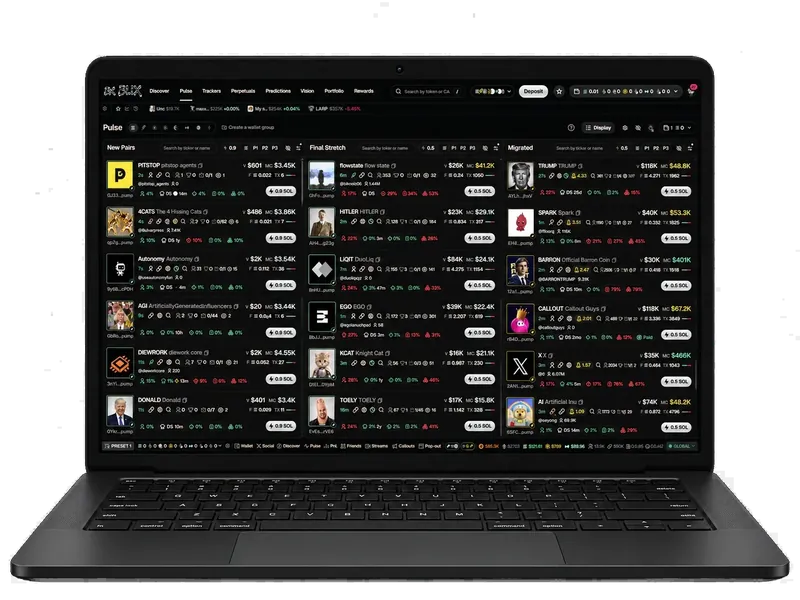
BLIX combines token discovery with holder and wallet investigation, available AI research, paper practice and a separate account execution flow. Start with a question such as why a token's volume changed or whether early holders still retain supply. Inspect the supporting data rather than treating an AI opinion as an order.
A research product can use external market or quote services without being a replacement for those services. This guide does not imply BLIX owns Jupiter's routing or that switching interfaces removes network and liquidity constraints.
Compare like with like
- Match input and output mint addresses and trade side.
- Match amount, slippage allowance and timestamp.
- Separate estimated price impact from platform and network charges.
- Distinguish the displayed quote, submission response and confirmed outcome.
No best-price or fastest-execution conclusion is established by this documentation review.
Sources and method
Reviewed by BLIX on October 10, 2026. This guide uses primary documentation and explains how to evaluate a workflow. It does not claim a hands-on execution test, a fee comparison or a trading-return advantage.
BLIX publishes this guide about its own product and is independent of the vendors named. Links contain no referral codes. Discuss corrections in the BLIX Discord.
Frequently asked questions
Is BLIX a drop-in replacement for Jupiter Plugin?
No drop-in compatibility is claimed. Jupiter Plugin is an embedded swap interface; BLIX provides a research and trading workspace with its own interfaces.
Why does a Jupiter Terminal search lead to Plugin documentation?
The former Terminal documentation address redirected to the current Plugin guide during this review. Use that guide to verify current integration behavior.